
Active menu features
How to do CPR/First aid
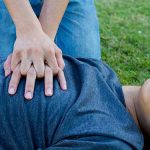
This feature lets you see images and texts that show you how to do CPR as well as specific first aid techniques until help arrives
Phone/address of the nearest US Embassy
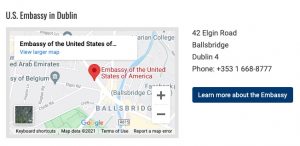
This Menu item opens the Emergency Services page of the nearest U.S. Embassy and let’s you also navigate the Embassy web site to get other information.
Nearest 24/7 local pharmacies
When you click on this Menu feature, it will show you the google map location, phone and address of the nearest pharmacies open 24/7.
Local country travel alert
This Menu feature opens the Travel Alert page of the US Embassy in the country where you are.
Follow Me
Pressing this will turn this option on or off. You can also access this feature from the Home Screen by pressing Where am I?
Remote camera
When you press the red Emergency call button, you can allow local emergency call staff to open your camera/s so they see the nature of your emergency and send the appropriate help.
Manage Personal Data
This Menu item opens personal health data and friends/family contact form/s that you can fill out. In case of an emergency they can be automatically sent by email to the local Emergency center when you press the Emergency Call button.
Turn on SOS Light alert
This Menu feature automatically sends out a visual SOS using your phone’s flashlight. If you need to SOS be sure to hold the phone up as high as possible so the light flashes can be seen as far as possible.
Turn on SOS Sound alert
This Menu feature automatically sends out a sound SOS using your phone’s sound. If you need to SOS be sure to hold the phone up as high as possible so the sound can be hear as far as possible.
Turn on locked screen
This feature lets you add the TravelSafeWorldTM icon to your locked screen so you can press it without putting in a password in case of an emergency.
Active
Non-visible features
Automatic e-mail with geo location and other info
When you press the Emergency button, TravelSafeWorld™ will also send an email with your geo location, phone information, etc. to the call center .
Geo notification of local disaster events
In case of a local earthquake, storm, fire or other disaster events, you will automatically receive an alert.
Works with slow internet
Depending on where you are, TravelSafeWorld™ will work even with the slow internet connections.
Active features to be included in the final release
Trace Me
The Trace me Menu feature tracks your movements. It can be very useful to help you find your way back to where you may have left something in a shop; want to find the same way back to your hotel, car, etc. And it can also be used for contract tracing for Covid.
Trace history
This Menu feature let you see a log of all of your movements, by date. Clicking on a specific log will display a map showing all of your movements that day. It’s very useful to show you how to go back to the same location days later, if you want to spend more time there. And it can also be used for contact tracing for Covid.
Local currency converter
This Menu feature will show a window with today’s local currency conversion rate to the US dollar, allowing you to figure out the cost of goods/services.
Local language basic phrases guide
This Menu feature will display a help list of common words/phrases to help you greet people, shop, get directions and more.
English to local language dictionary
This Menu feature allows you to look up specific words in the local language.
Compass, map, altimeter
This Menu feature converts your phone into an active compass allowing you to orient more easily and includes a map of the local area and displays the altitude of where you are.
Magnifier
This Menu feature converts your camera into a magnifier allowing you to use your phone’s screen to increase the size of words on labels, tickets, menu’s, maps, etc. to make them easier to read.
Morse code alphabet
This Menu feature displays the Morse code alphabet on your screen allowing you to signal in Morse code.
Hearing impaired/deaf text-to-speech
When you select Hearing/deaf text-to-speech in the Menu, both emergency and non-emergency communications will be done using speech-to-text technology. You will see a specific chat-box that will transform the speaker’s voice into text and allow you to reply via text or speaking.
Visually impaired/blind voice command
When you select this Menu feature, it will activate “voice-command” so you will be able to speak and hear what is being said without having to read texts.
